Micger
Micger Galaxy S20+ plus Screen Protector 【2+2 Pack】 with 2 Pack Camera Lens Protector, Compatible Fingerprint, 3D Glass 9H Hardness Tempered Glass Screen Protector for Samsung Galaxy S20 plus 5G
Micger Galaxy S20+ plus Screen Protector 【2+2 Pack】 with 2 Pack Camera Lens Protector, Compatible Fingerprint, 3D Glass 9H Hardness Tempered Glass Screen Protector for Samsung Galaxy S20 plus 5G
Couldn't load pickup availability
- ❶▲【Galaxy S20+ Plus 5G Screen Protectors 】Unique design 9H Hardness Tempered Glass for Samsung Galaxy S20 Plus, We Provide Both Galaxy S20 Plus Screen Protector 2+2 Pack S20 Plus 5G Camera Protector to Protect Full Coverage Your Cellphone Fully. [ Not fit for any other Models ]
- ❷▲【Easy installation S20 Plus Screen Protectors】 Before installation Samsung Galaxy S20+ Plus 5G, Use Your Mobile Phone to scan the QR code on the Package to Get the installation Video. If You have any Questions, please feel free to contact us.
- ❸▲【Perfect fit for Galaxy S20+ Plus Screen Protectors】: Exclusively Designed for Galaxy S20 Plus With Precise Cutouts, Compatible With most Samsung Galaxy S20 Plus Cases and Covers.
- ❹▲【Fingerprint Unlock @ Full Protective】: Our Screen Protector Supports Fingerprint Unlocking Technology. The Precise laser-cut dimensions Provide Maximum Protection for the entire Touch Screen Surface of the Galaxy S20+ Plus. Three Times Stronger Than Ordinary Protective Films.
- ❺▲【100% Quality Assurance】: For every Product Sold by Micger, If you encounter any Problems During use, Please Feel Free to Contact us. We will Response Within 12 hours and Provide The Best After-Sales Service For You.
▲Fit for: Galaxy S20+ Plus 5G Screen Protector 2+2 Pack
▲Why can't I use my fingerprint?
① Use an incorrect installation method and fail to follow our instructions or video prompts.
② When installing the protector, the fingerprint position is not tight.
③The mask was dusty after being removed, and it was not cleaned or installed in time.
▲Choose 2 places, the touch will be more sensitive
『step Ⅰ :
Settings→Accessibility→Interaction and dexterity→Touch and hold delay (open--0.5 seconds)
『Step Ⅱ:
Settings→Display→Touch Sensitivity (on)
▲* Note * Fast and easy installation - no bubbles.
① The product packaging has our professional installation video.
② Please watch the installation video before installation, because it requires some simple skills to install perfectly.
③ Please install the screen protector in a windless and dust-free environment.
④ Use the provided damp cloth and dry cloth to clean and dry the screen.
⑤ Tightly squeeze the edge of the film for about 30-40s to prevent the edge from lifting. (IMPORTANTLY)
⑥ After installation, please delete the original fingerprint of the phone and record the fingerprint again.
⑦ If you have any questions, please contact Micger after-sales service in time, and you will get a quick answer.
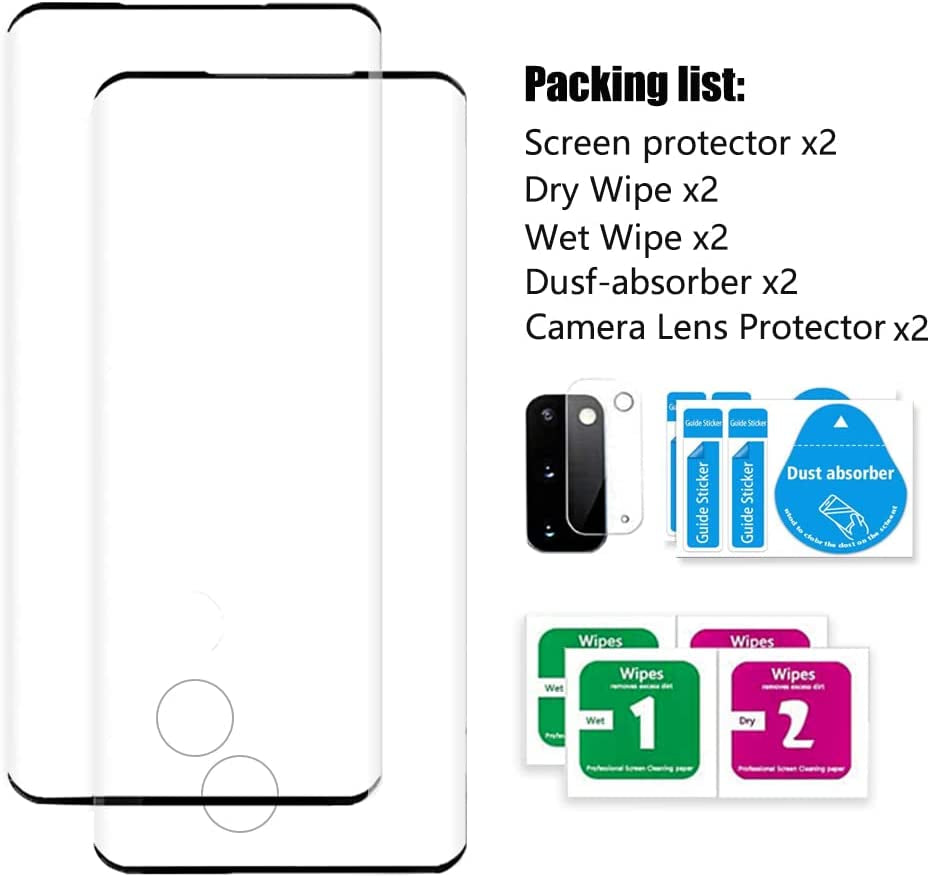
▲Package includes:
❶Screen protector x2
❷Camera lens protective film x2
❸Dry Wipe x2
❹Wet Wipe x2
❺Dusf-absorber x2