WATSABRO
WATSABRO Switch Dock, Switch Charging Docking Station for Nintendo, Switch Docking Station Charger with Dust Plugs, Nintendo Switch Docking Station Supporting 4K1080P HDMI Video Port and USB3.0 Port
WATSABRO Switch Dock, Switch Charging Docking Station for Nintendo, Switch Docking Station Charger with Dust Plugs, Nintendo Switch Docking Station Supporting 4K1080P HDMI Video Port and USB3.0 Port
Couldn't load pickup availability
- New Card Slot Design: WATSABRO switch dock has four game card storage slots, which can be easily switched when playing games, convenient and quick. The included two dust plugs can cover the plugs when not using our products to avoid long-term dust causing bad TypeC interface.
- Ultra HD Transmission: Switch dock cover fully supports 4K, 1080p HDMI output, you only need to press the button on the dock to switch between console display and TV display within 3 seconds. Ultra HD picture quality, bring you For the best gaming experience.
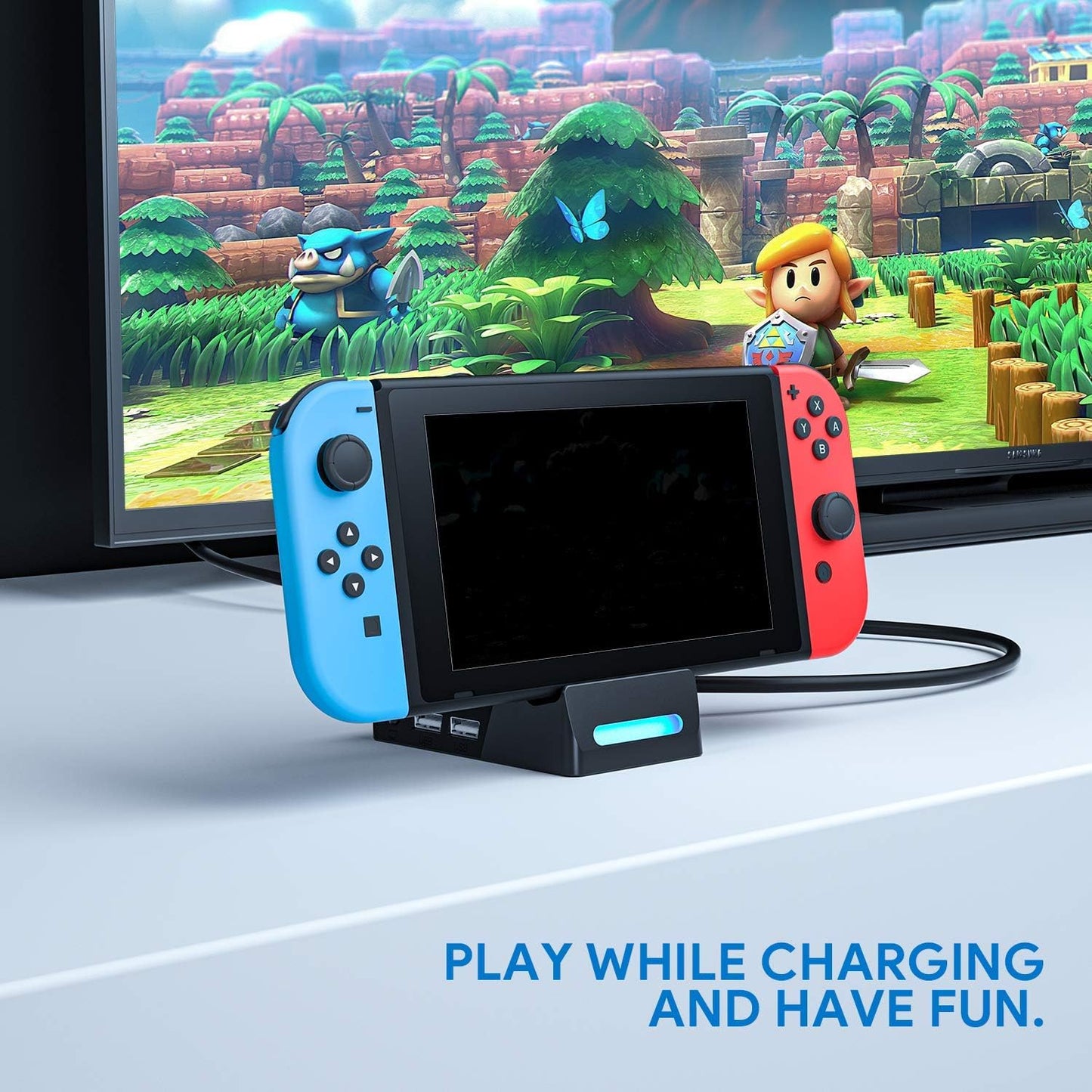
- Fast Charging and Playing while Charging: When USB Type C is connected to the standard QC adapter, it can achieve fast charging up to 15V / 2.6A. Compared to similar products, it charges faster and can play while charging and enjoy game time .Note: LED display blue light is TV mode,For simultaneous charging and playing in TV or desktop mode an official original charger is required.
- 3 Cooling Vents: This switch docking station charger is equipped with 3 cooling vents, which allows the machine to dissipate heat to a high degree, playing games more smoothly and achieving the best experience.The Switch base is compatible with USB3.0 / USB2.0. You can connect the switch cable controller to USB 3.0 and USB 2.0 ports.and only for Switch, not compatible with Switch Lite !
- Compact, Lightweight, and Easy to Carry: Compared to the original Nintendo switch base, our volume is only 20% of its volume, but with 100% functionality, suitable for travel, parties, parties. True plug and play, you can use it anytime, anywhere, and have fun all day with your friends.
Note:
1. There is no HDMI cable in the package.
2. PLEASE NOTE OUR SWITCH Dock ONLY COMPTIABLE WITH SWITCH, It doesn't suit for Switch Lite!!!
3. If you couldn't attached HDMI cable to the TV and it did not display on the TV, please operate it according to below ways :
1. Try to use the original Switch power cord;
2. Check whether the switch is plugged in tightly Check whether the HDMI cable is plugged in tightly;
3. Press the switch button of the base to see if the light is on. When the TV is successfully connected, the blue indicator light is always on. Press the switch key to switch back to the switch host screen, and the blue light is off; press the switch key again, the switch host screen will switch to TV, the blue light is always on. (Wait about 5S for operation interval)
4. Try to plug the Switch with the original Switch power cord and check whether the power cord is damaged;
Steps:
1. Use the original power adapter to connect to the Type-C interface of the power input of the switch base.
2. Take an HDMI high-definition cable, connect one end of the HDMI high-definition cable to the HD jack of the TV, and the other end to the HD interface of the base./p>
3. Place the switch host on the TYPE-C plug on the front of the base, and the base can convert the host's screen and sound to the TV. The blue LED on the base is always on.
4. Press the switch button on the base to switch the TV screen to the switch host interface, and the blue LED light on the base is off. Press this button again to switch the switch host screen to the TV side interface. The blue LED is always on.
5. Insert the switch wired handle into any one of the USB sockets on the base to complete the wired connection operation function of the switch handle. Package Included: 1 WATSABRO switch base 2 dust plugs 1 power cord