Annymall
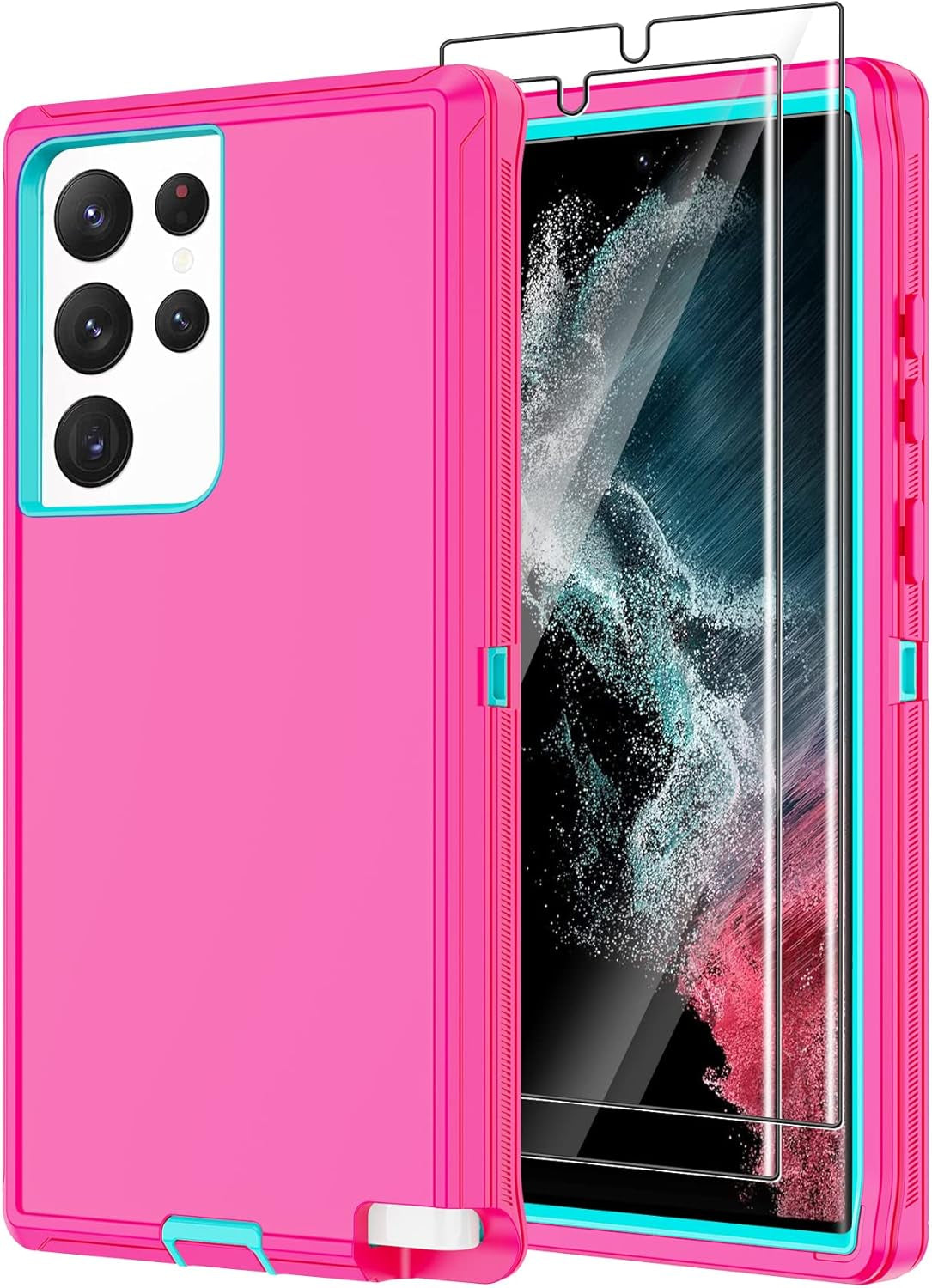
Annymall for Samsung Galaxy S22 Ultra Case with 2 Screen Protector, Full Body Heavy Duty Shockproof Drop-Proof Phone Case Rugged 3-Layer Defender Protective Cover for Samsung Galaxy S22 Ultra (Pink)
Verfügbarkeit für Abholungen konnte nicht geladen werden
- Compatibility: Rugged designed for Samsung Galaxy S22 Ultra only. Please check your model first!
- Full Protection: Case made with poly-carbonate hard shell exterior and soft TPU inner Core protecting against sudden drops and falls, offer 360 degree full rugged protection for your device. Raised lips around camera and beveled front frame protect screen and camera from scratches and cracking
- 2 Pcs Screen Protector: Case come with 2 x screen protector ultra high definition meanwhile, it is really anti-scratch, anti-oil, bubble-free and anti-fingerprints
- Function: Widely used for outdoor activities and travelling Drop-roof, shockproof and dust-proof, especially four reinforced corner provide extremely strong protection
- Precise Cutouts: Provides full access to phone ports, functions and sensitivity, including all buttons, camera, headphone jack, speakers, microphone and charging port. Simple, elegant, functional,classic colors, and lasting protection for your device
Product Description
Annymall Bumper Heavy Duty Shockproof+Drop Protection Case Compatible with Samsung Galaxy S22 Ultra
The durable heavy duty cover with amazing detachable 3 in 1 design, made of soft TPU + hard PC. The unique combination of hard and soft durable material which gives your phone ultimate protection. Whether you work or outdoor, this case provides heavy duty 360 degree no dead angle comprehensive protection against drops, scratch, dust, shock and damages for your device
Package Includes:
1x Phone Case
2 x HD Screen Protector
How to install the phone case?
Step 1.Please open Silicon Button which near the Volume button to remove the outer silicon layer.
Step 2.After removed the outer silicon cover,then open 2 key buttons on the side of the plastic case step by step to put your phone in.
Step 3.Finally,install it back.Check all the button buckled well.